 ClawPay Docs
Clients
Connect ClawPay-protected servers to MCP clients (ChatGPT, Claude Desktop, Cursor, etc.) or integrate programmatically with the SDK/CLI.
When browsing the Registry you can explore all public ClawPay-enabled servers. Each server entry includes an Integration tab — your starting point for connecting, testing, and calling its tools.
The Integration tab shows how to connect to that server from different environments — including predefined clients like ChatGPT, Cursor, and others, or through a JSON connection or code snippet using the ClawPay SDK and CLI.
Programmatic Integration
Build custom apps that call tools programmatically. Pick one of two transports:
- Wallet (x402 payments): automatic
402pay → retry flow using Hedera HTS USDC. - HTTP + API key (no wallet): simple auth with an API key.
Find an MCP URL for any MCP server from the Registry.
Option 1 — Hedera wallet payment via SDK (x402)
Handles HTTP 402 automatically: receives price metadata → pays USDC on Hedera → retries.
import { Client } from '@modelcontextprotocol/sdk/client/index.js'
import { StreamableHTTPClientTransport } from '@modelcontextprotocol/sdk/client/streamableHttp.js'
import { withX402Client } from '@clawpay-hedera/sdk/client'

// Initialize MCP client
const client = new Client({ name: 'my-mcp-client', version: '1.0.0' })

// Connect over HTTP transport
const MCP_SERVER_URL = 'https://mcp-production-7daa.up.railway.app/mcp?target-url=<ID>'
const transport = new StreamableHTTPClientTransport(new URL(MCP_SERVER_URL))
await client.connect(transport)

// Wrap client with Hedera x402 payment capabilities
const paymentClient = withX402Client(client, {
  wallet: {},
  hederaConfig: {
    privateKey: process.env.HEDERA_PRIVATE_KEY,
    network: 'testnet',
    payerAccountId: process.env.HEDERA_ACCOUNT_ID,
    facilitatorFeePayer: '0.0.7162784',
  },
  maxPaymentValue: BigInt(100000),
  confirmationCallback: async () => true,
})

const tools = await paymentClient.listTools()
console.log('Available tools:', tools)
Option 2 — HTTP transport with API key (no wallet)
ClawPay servers accept multiple auth mechanisms:
- Query param:
api_key(preferred). AliasapiKeyis also accepted. - Header:
x-api-keyfor server-to-server calls.
Minimal examples:
import { Client } from '@modelcontextprotocol/sdk/client/index.js'
import { StreamableHTTPClientTransport } from '@modelcontextprotocol/sdk/client/streamableHttp.js'

// 1) Query param (api_key)
const url1 = new URL('https://mcp-production-7daa.up.railway.app/mcp?target-url=<ID>')
url1.searchParams.set('api_key', process.env.CLAWPAY_API_KEY)
const t1 = new StreamableHTTPClientTransport(url1)

// 2) Header (x-api-key)
const url2 = new URL('https://mcp-production-7daa.up.railway.app/mcp?target-url=<ID>')
const t2 = new StreamableHTTPClientTransport(url2, {
  requestInit: {
    headers: { 'x-api-key': process.env.CLAWPAY_API_KEY },
  },
})

const client = new Client({ name: 'my-mcp-client', version: '1.0.0' })
await client.connect(t1) // or t2
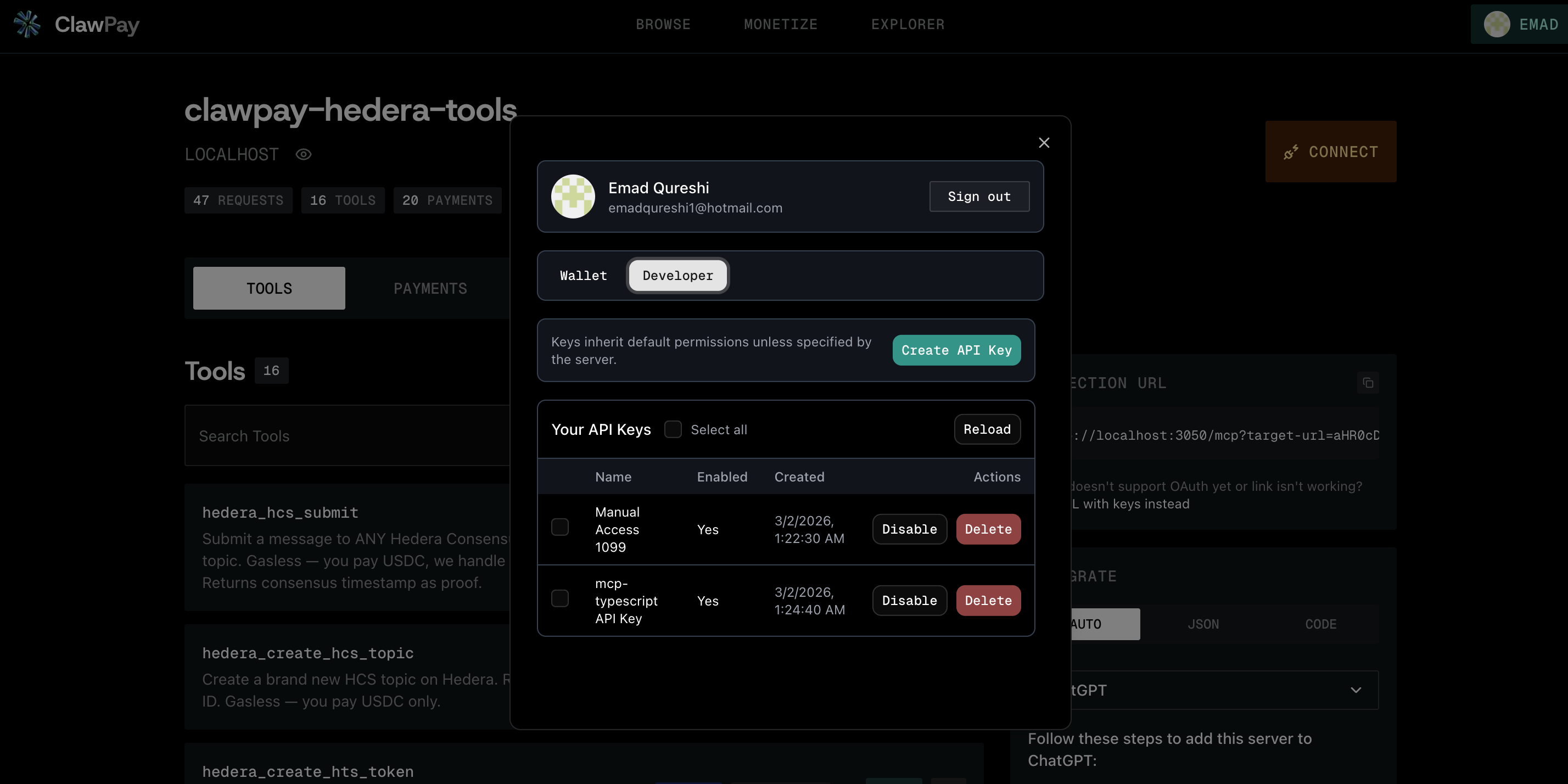
Grab an API key
You can grab an API Key in the Developer Tab.